
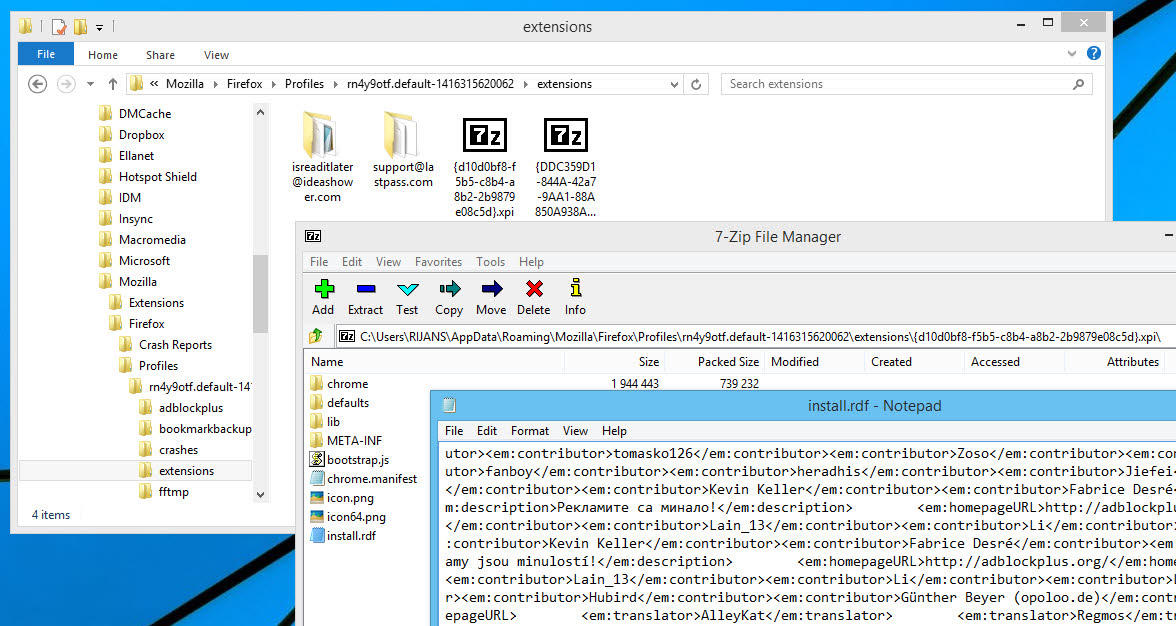
Firefox add-ons/extensions are the greatest Firefox companions that lets it enhance and make it work like the way we want. The usability and huge collection of add-ons made Firefox one of the most popular browsers out there. Firefox add-ons are mostly developed with XML, Java Script, HTML and graphical contents. However, you might wonder what are the codes behind a Firefox add-on. To view the source code of a Firefox add-on, you need to have access to the source files of the add-on. You can do it either by opening the XPI file of the add-on or locating the add-on files on your local hard drive.
Also checkout how to edit or view Chrome extension source codes.
Reasons you might want to View or Edit the add-on source Code
- You are in Firefox addon development and want to check the codes of an existing Firefox extension/add-on.
- You want to edit a Firefox add-on to customize it.
- Analyze a Firefox add-on for security or privacy breach.
By Downloading XPI File
All Firefox extensions and themes are distributed as XPI file which is a standard ZIP file. You can use any ZIP tool to open the add-on package. Firefox do not let us download XPI files. You can simply use a different browser like Chrome to get the XPI download button. This is like downloading CRX file of a Chrome extension.
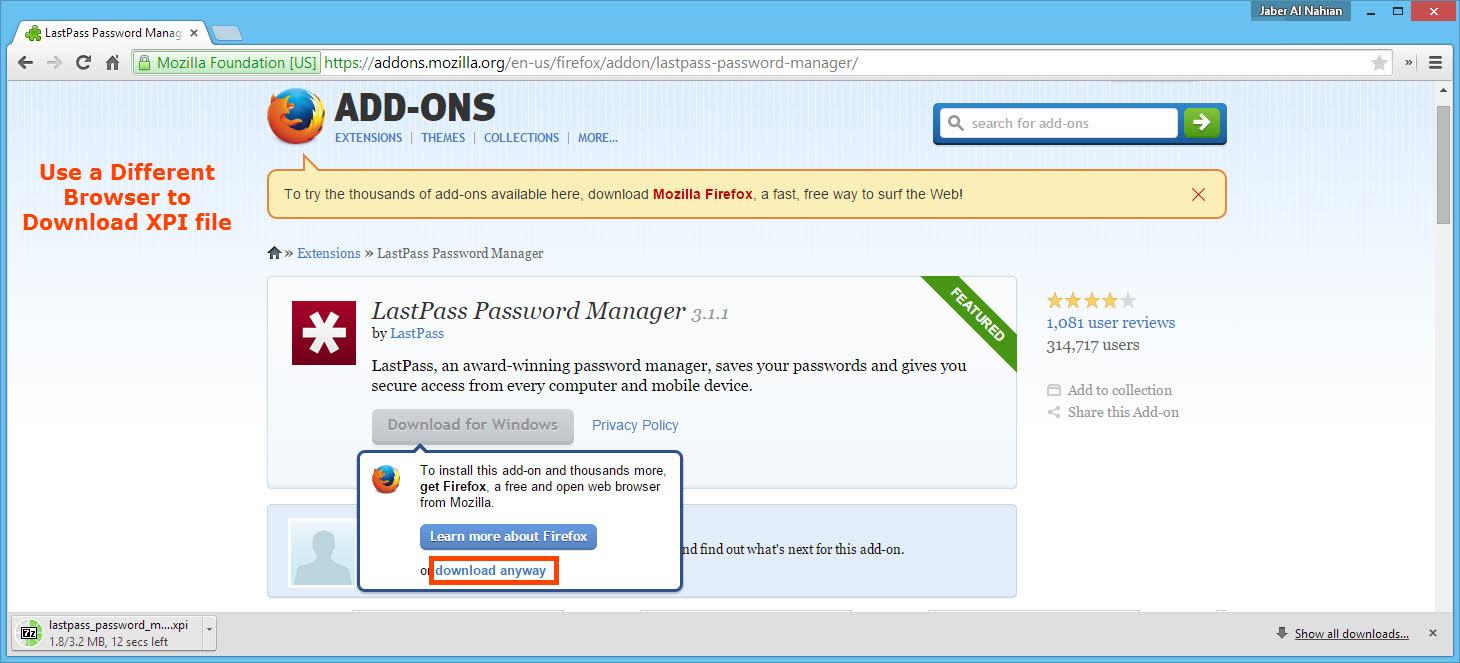
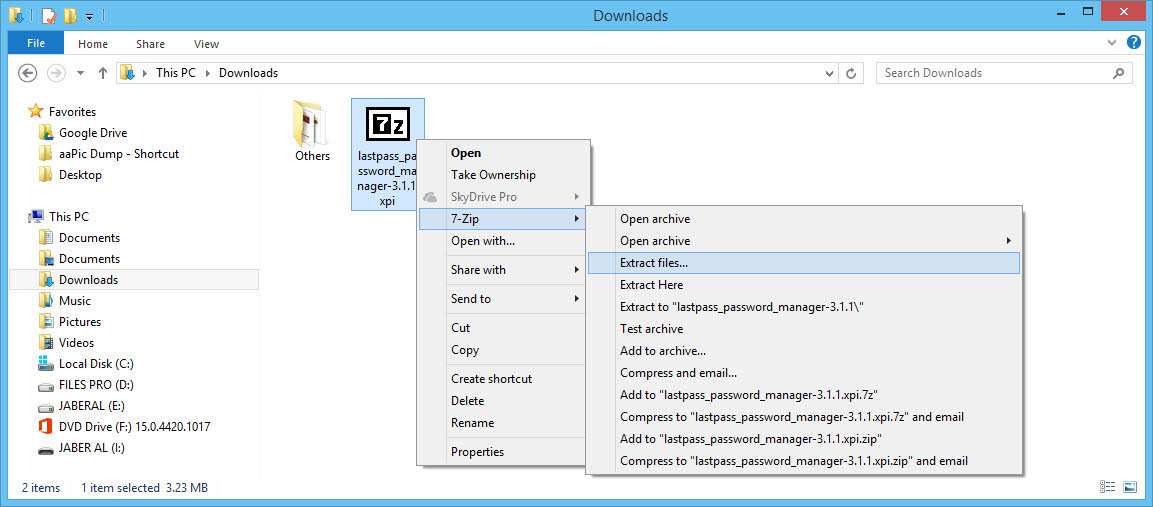
After you have downloaded the XPI file you can use any ZIP utility like 7-Zip to open the file. Or you can rename the file extension from XPI to ZIP to open it Windows explorer.
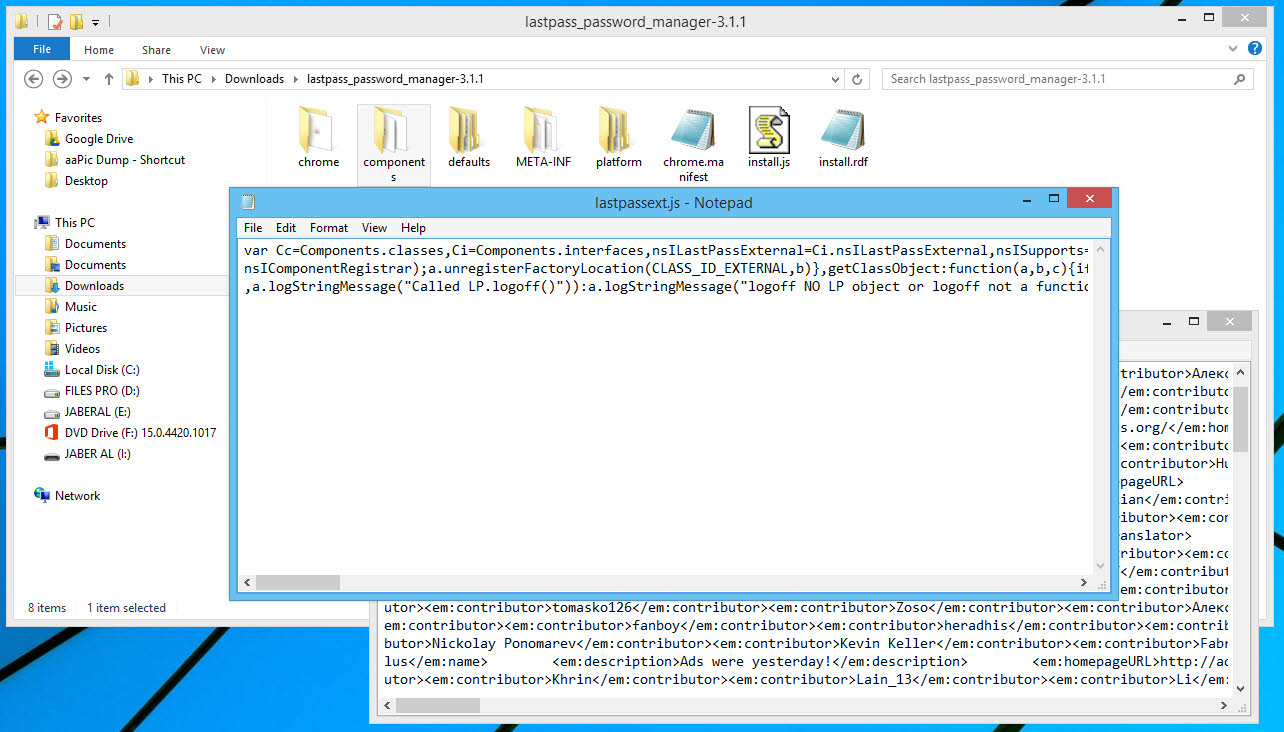
Once you get the files inside an extension, you should be able to open most files like RDF, JS, etc. using any text editor, thus you can see the source code.
From Local Drive
Another way is to install an extension first and locate the extension files on your local machine. However you may find them sitting there with weird names.
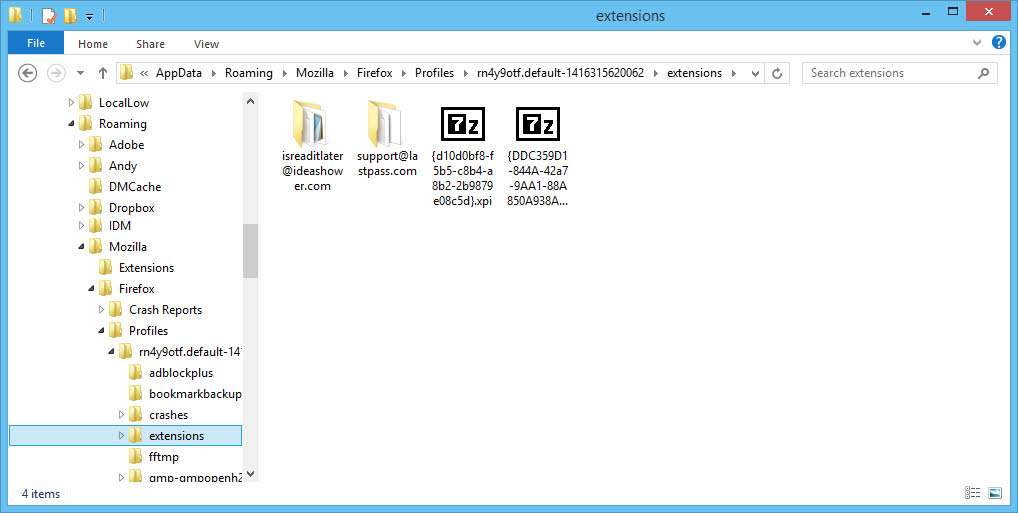
Here are the Firefox add-on/extension locations on different platforms:
On Windows XP
C:\Documents and Settings\<username>\Application Data \Mozilla\Firefox\Profiles\<profile>\extensions
On Windows 7 or later
C:\Users\<username>\AppData\Roaming\Mozilla\Firefox\Profiles\<random-name>.default\extensions
On Mac
~/Library/Mozilla/Firefox/Profiles/<profile>/extensions/
On Ubuntu
~/.mozilla/firefox//extensions/
Check more details on Firefox profile folder of different platforms.
Note: You may find non-openable compiled files like dll, etc. inside many extensions.
For Firefox add-on development and documentation, head to Developer Hub.

Author: Jaber Al Nahian
Jaber is a Programmer and Tech Enthusiast Geek from Dhaka, Bangladesh. He is the founder and Chief-Editor of TechGainer. While he is away from his keyboard, either he's fishing or messing with wildlife. In case, you can contact him at rijans[at]techgainer[dot]com.